Talk naturally, hands-free
Say “Hey Snowy” or press the steering wheel button. Ask follow-ups like you would a passenger. Snowy remembers the thread.

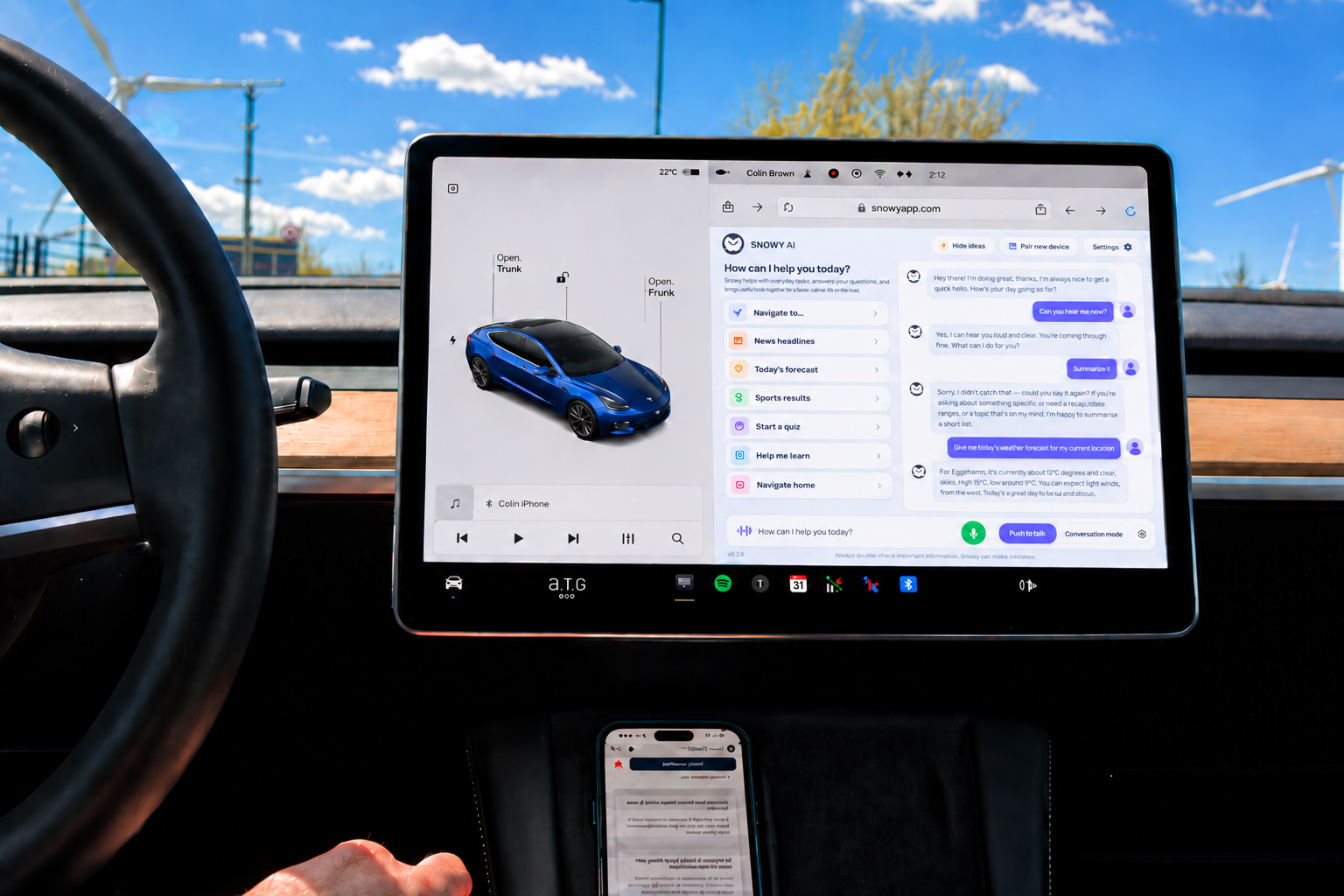
Snowy is the voice assistant for Teslas that never got Grok. It runs on the same OpenAI technology as ChatGPT, controls your car, sends directions to your screen and talks back through your Tesla's own speakers. Your hands stay on the wheel.
Free to download · 20 minutes of talk time every month · No card required
See it in your Tesla
A real drive, filmed in the car. Hear Snowy answer through the Tesla speakers and see the idea cards on the screen.
What Snowy does
A real conversation, live information, your car under voice control and something worth listening to on every journey.
Say “Hey Snowy” or press the steering wheel button. Ask follow-ups like you would a passenger. Snowy remembers the thread.
Climate, seat heating, charge limit, locks, Sentry Mode, windows, frunk and trunk. One sentence, no touchscreen.
“Take me to the nearest charger.” Snowy finds it with Google Places and drops the route straight into Tesla navigation.
Headlines from the last hour, 7-day forecasts, live scores and league tables, share and crypto prices. Pulled fresh while you drive.
Scenic, historic, food and dog-friendly stops along your route. Or a whole day out planned around the time you have.
Any topic, any difficulty, scores kept. Hints, passes and a child-friendly mode make it the best part of a family road trip.
Practise Spanish before a holiday, unpack quantum computing, or hear the story behind the song that's playing right now.
Add, tick off, reorder and read back items the moment you think of them. Your phone stays in your pocket.
Tesla integration
Link your Tesla account and Snowy reads your battery, range, route and what's playing, then acts on it. Every command reaches your car through Tesla's official API.
Try saying
“Turn my seat heater up to 3.” “Set the charge limit to 80 percent.” “Lock the car and turn on Sentry Mode.” “What battery will I have when I arrive?” “What's this song about?”How it works
Snowy talks and listens over the Bluetooth link your phone already has with your Tesla, and the reply comes out of the car's own speakers. It feels close to built in. Spotify, Apple Music, radio and every other Tesla app keep working exactly as before.
Free on iPhone and Android. Sign in with Apple, Google or email.
Optional, one time. Unlocks vehicle controls, navigation hand-off and steering wheel activation.
Or press in on the left steering wheel control. Open chat.snowyapp.com in the Tesla browser for on-screen cards.
Grok needs the newer AMD Ryzen infotainment computer, so a 2021 Model 3 or a 2019 Model X gets nothing. Snowy runs on every Model S, 3, X and Y from 2017 onwards, and it can control the car too.
 Snowy AI
Pricing
Plans are based on talk time, the minutes you speak and Snowy replies. Listening and idle time are free. Start free, upgrade any time.
*Fair use applies. Prices shown are a guide in USD per month. Monthly and annual options available. The App Store or Google Play shows the exact price for your market. Subscriptions auto-renew unless cancelled 24 hours before the period ends.
FAQ
Every Model S, 3, X and Y from 2017 onwards. Snowy runs on your phone and connects to the car over Bluetooth, so there is nothing to install in the car. Spotify, Apple Music, radio and the rest of your Tesla apps keep working as normal.
No. Snowy is an independent AI companion powered by OpenAI, the technology behind ChatGPT. It works on the Teslas that never received Grok, and goes further with voice control of your car, navigation sent to your screen, live information, quizzes and learning.
Yes. Link your Tesla account and enable phone key permission, and Snowy can set climate and seat heating, start charging and set the charge limit, lock the car, turn on Sentry Mode, vent windows, open the frunk and trunk, and change media volume. It never touches driving functions.
No. Snowy works fully from your phone. Pairing the Tesla browser at chat.snowyapp.com is optional. It adds idea cards, shortcuts and text responses on the car screen.
Snowy is free to download with 20 minutes of talk time every month. Paid plans run from $3.49 a month for 1 hour to $56.99 for unlimited conversation, with fair use applying. You are only billed for time spent talking. Listening is free.
No. Snowy can skip tracks, change volume and tell you about the song that's playing, but it can't play, pause or pick songs. It never controls steering, speed, Autopilot, Full Self-Driving or Summon.
Snowy only processes audio after the wake word, the microphone button or the steering wheel press. The halo shows you when. Media information is handled on your device, and you can clear your conversation history at any time from Settings.
Download Snowy free and start talking on your next drive. 20 minutes a month on us, no card required.
iOS & Android · Model S, 3, X and Y · 2017 and newer